You Can Build an R Package ๐Ÿš€

If You Can Write a Function

2026-02-25

Welcome ๐Ÿ‘‹

๐Ÿ•“16:00 - 18:00 GMT

๐Ÿง‘โ€๐Ÿ’ป Code along on your laptop or Posit Cloud

๐Ÿ’ฌ Tell me: Have you built a ๐Ÿ“ฆ? Why not?

About me

๐Ÿงฎ NHS Data Scientist

๐Ÿ—ฃ๏ธ Stats communicator

๐Ÿ‘ฉโ€๐Ÿ’ป #RStats educator

๐Ÿ’œ Community champion

๐Ÿ”— rhian.rbind.io

One woman is untangling a big mess of string around a jar of pickles, another woman is smiling and clapping.

๐Ÿšฃโ€โ™€๏ธ ๐Ÿšดโ€โ™€๏ธ๐Ÿง—โ€โ™€๏ธ ๐ŸŠโ€โ™€๏ธ๐Ÿƒโ€โ™€๏ธ๐Ÿš๐ŸŽผ ๐Ÿฅ ๐Ÿงถ๐Ÿณ๏ธโ€๐ŸŒˆ she/her

About you ๐Ÿ’ฌ

  • Have you ever tried to build an R package?
  • If not - why not?

What is an R package?

A tool kit ๐Ÿงฐ

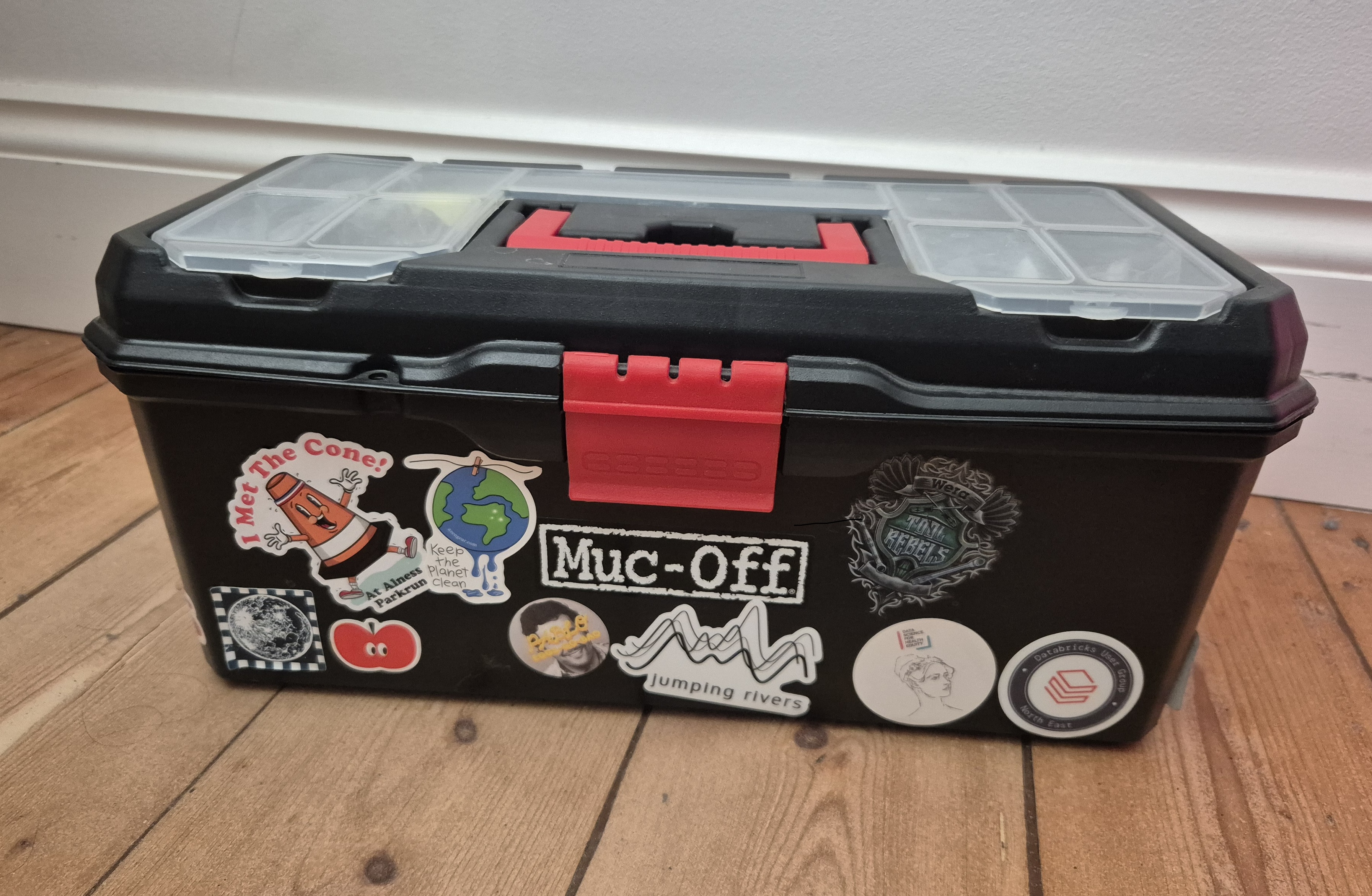
A toolbox with the lid locked in the closed position.
  • Not just any box of random tools
  • A kit that someone else should be able to pick up and use immediately without calling you for help.

R packages make it easier to ๐Ÿ“ฆ

  • run code
  • reuse across projects
  • share with others
  • manage dependencies and versions
  • write nice documentation
  • add tests

Myths

It doesnโ€™t have toโ€ฆ

  • have hundreds of functions
  • be useful for anyone else
  • do anything fancy
  • be on CRAN
  • be scary

โš ๏ธ Warning

Gif from Bruce Almighty film. Jim Carry points with his fingers and a water hydrant explodes. Caption 'I've got the power'

Building R packages can feel empowering and can be addictive.

Whatโ€™s inside an R package?

Whatโ€™s in your toolbox?

biketools/

A toolbox with the lid locked in the closed position.

DESCRIPTION

biketools/
โ”œโ”€ DESCRIPTION

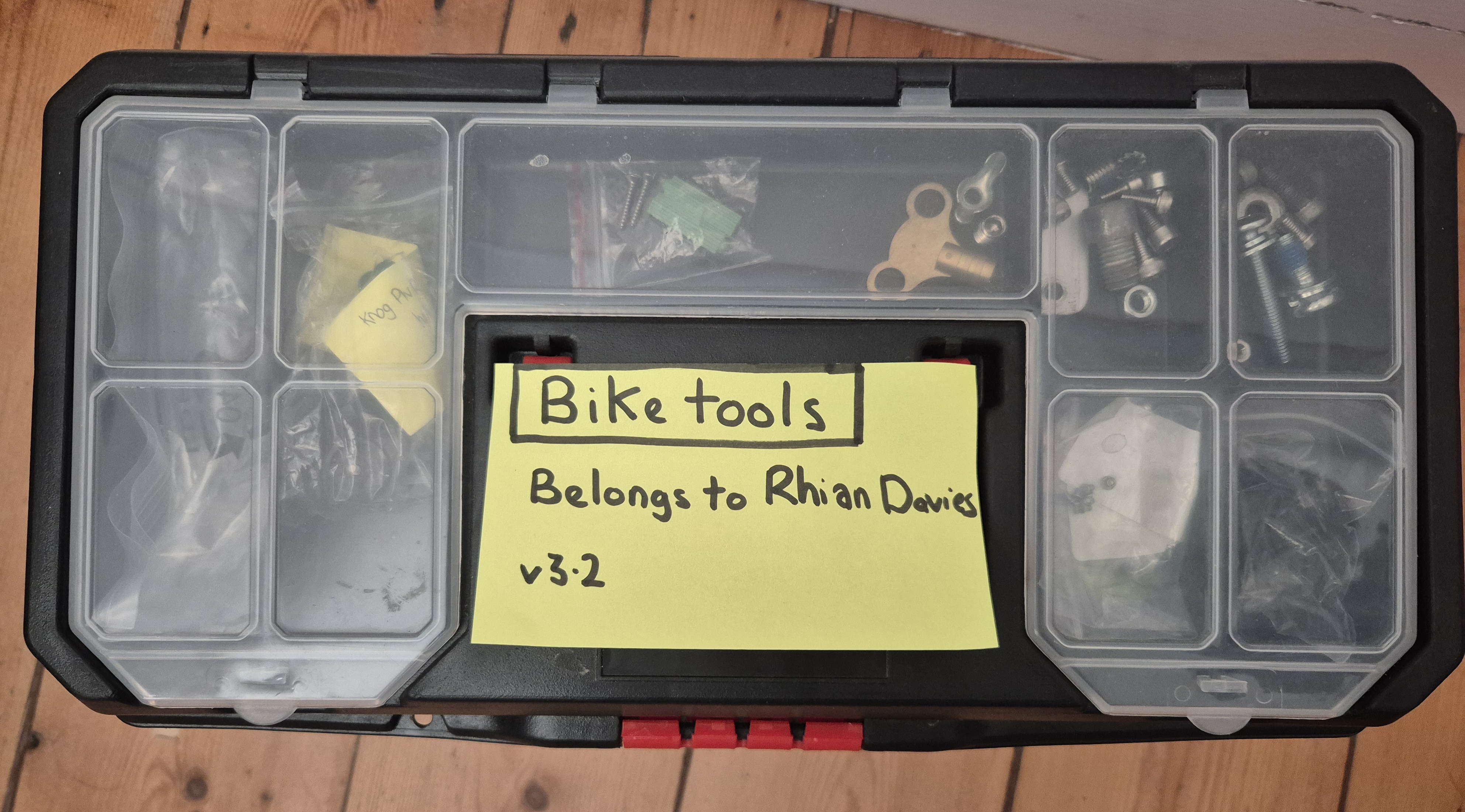
The lid of a toolbox with a label on it, describing that the box contains bike tools. The label also says who the toolbox belongs to and featues a version number.

R/ folder

biketools/
โ”œโ”€ DESCRIPTION
โ”œโ”€ R/
โ”‚  โ”œโ”€ chain-braker.R
โ”‚  โ”œโ”€ multitool.R
โ”‚  โ”œโ”€ pedal-wrench.R
โ”‚  โ”œโ”€ tyre-levers.R

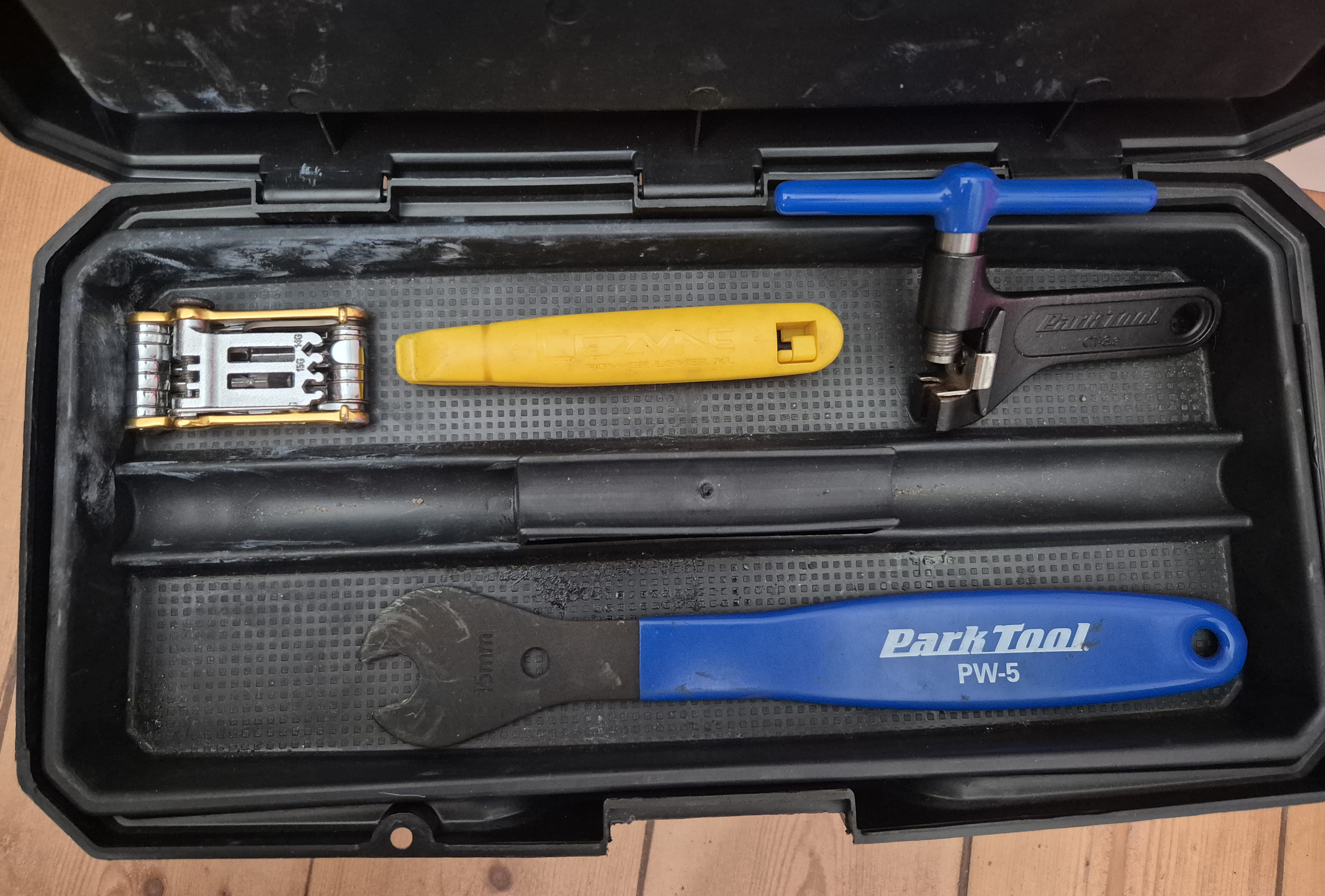
The toolbox with the lid open to reveal a collection of 4 different bicycle maintenance tools sitting on a tray.

man/ folder

biketools/
โ”œโ”€ DESCRIPTION
โ”œโ”€ R/
โ”‚  โ”œโ”€ chain-braker.R
โ”‚  โ”œโ”€ multitool.R
โ”‚  โ”œโ”€ pedal-wrench.R
โ”‚  โ”œโ”€ tyre-levers.R
โ”œโ”€ man/
โ”‚  โ”œโ”€ chain-braker.Rd
โ”‚  โ”œโ”€ multitool.Rd
โ”‚  โ”œโ”€ pedal-wrench.Rd
โ”‚  โ”œโ”€ tyre-levers.Rd

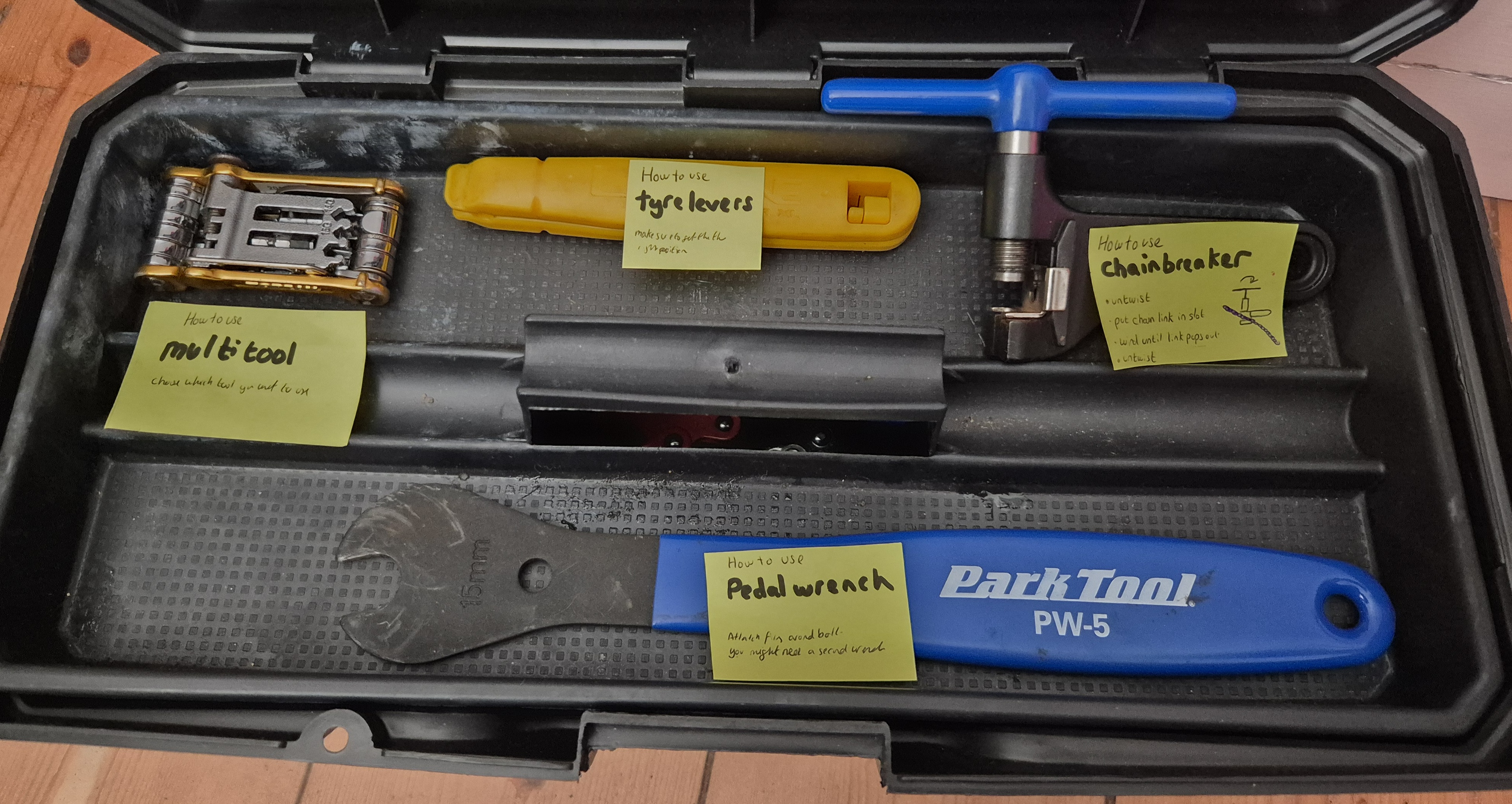
An open toolbox with a yellow label stuck to each bicycle maintenance tool that is on the tray. Each label gives the name of that tool and a description of how to use the tool.

NAMESPACE

biketools/
โ”œโ”€ DESCRIPTION
โ”œโ”€ R/
โ”‚  โ”œโ”€ chain-braker.R
โ”‚  โ”œโ”€ multitool.R
โ”‚  โ”œโ”€ pedal-wrench.R
โ”‚  โ”œโ”€ tyre-levers.R
โ”œโ”€ man/
โ”‚  โ”œโ”€ chain-braker.Rd
โ”‚  โ”œโ”€ multitool.Rd
โ”‚  โ”œโ”€ pedal-wrench.Rd
โ”‚  โ”œโ”€ tyre-levers.Rd
โ”œโ”€ NAMESPACE

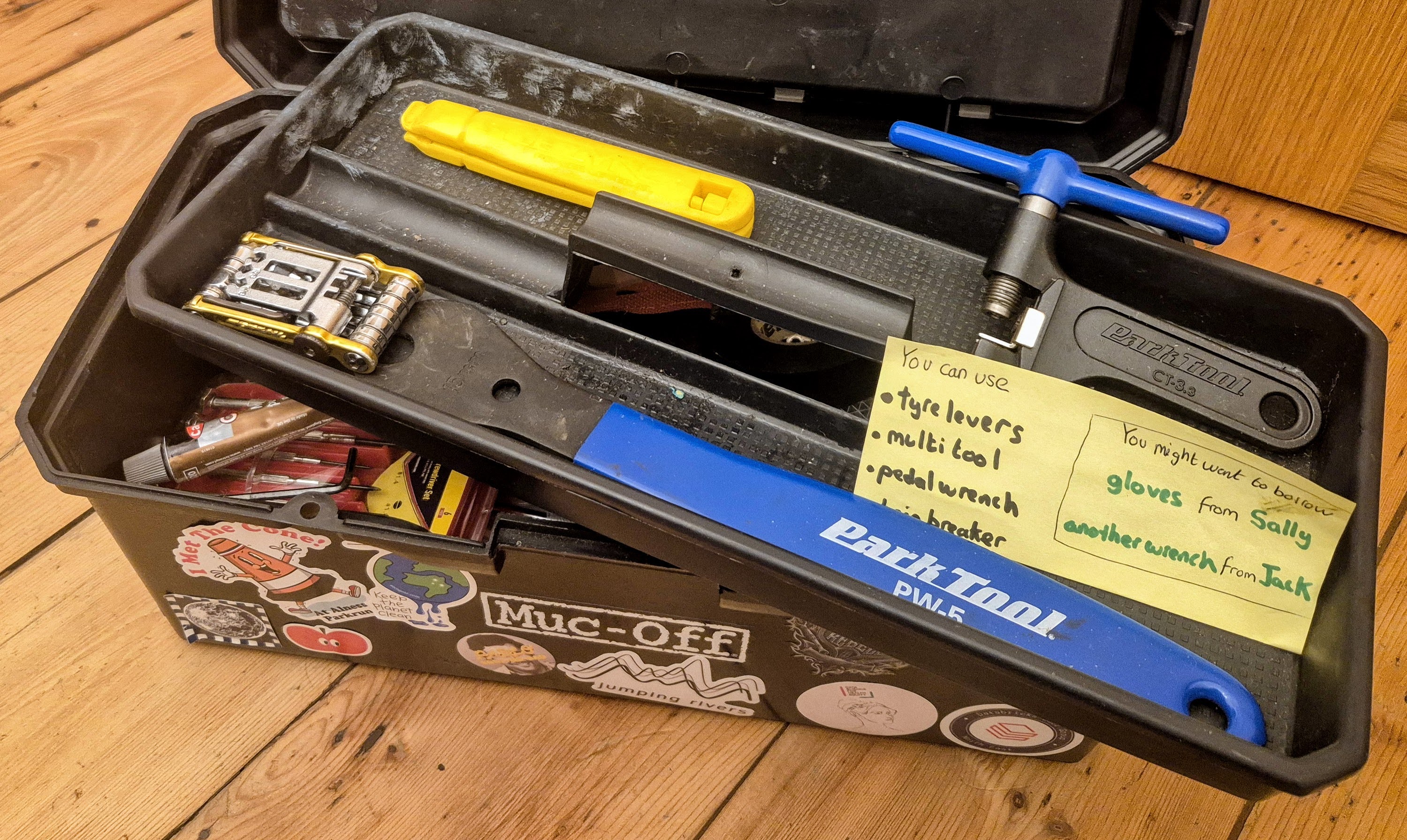
The open toolbox shows a tray of 4 tools at the top, with a single label stating the names of the 4 tools you can use. The label also advises that you might need to borrow gloves from Sally and another wrench from Jack. The tray sits at an angle allowing a glimpse at a collection of tools hiding at the bottom of the toolbox.

Extra bits

biketools/
โ”œโ”€ DESCRIPTION
โ”œโ”€ R/
โ”‚  โ”œโ”€ chain-braker.R
โ”‚  โ”œโ”€ multitool.R
โ”‚  โ”œโ”€ pedal-wrench.R
โ”‚  โ”œโ”€ tyre-levers.R
โ”œโ”€ man/
โ”‚  โ”œโ”€ chain-braker.Rd
โ”‚  โ”œโ”€ multitool.Rd
โ”‚  โ”œโ”€ pedal-wrench.Rd
โ”‚  โ”œโ”€ tyre-levers.Rd
โ”œโ”€ NAMESPACE
โ”œโ”€ data/
โ”œโ”€ pkgdown/
โ”œโ”€ tests/
โ”œโ”€ vignettes/
โ”œโ”€ README.md
โ”œโ”€ NEWS.md

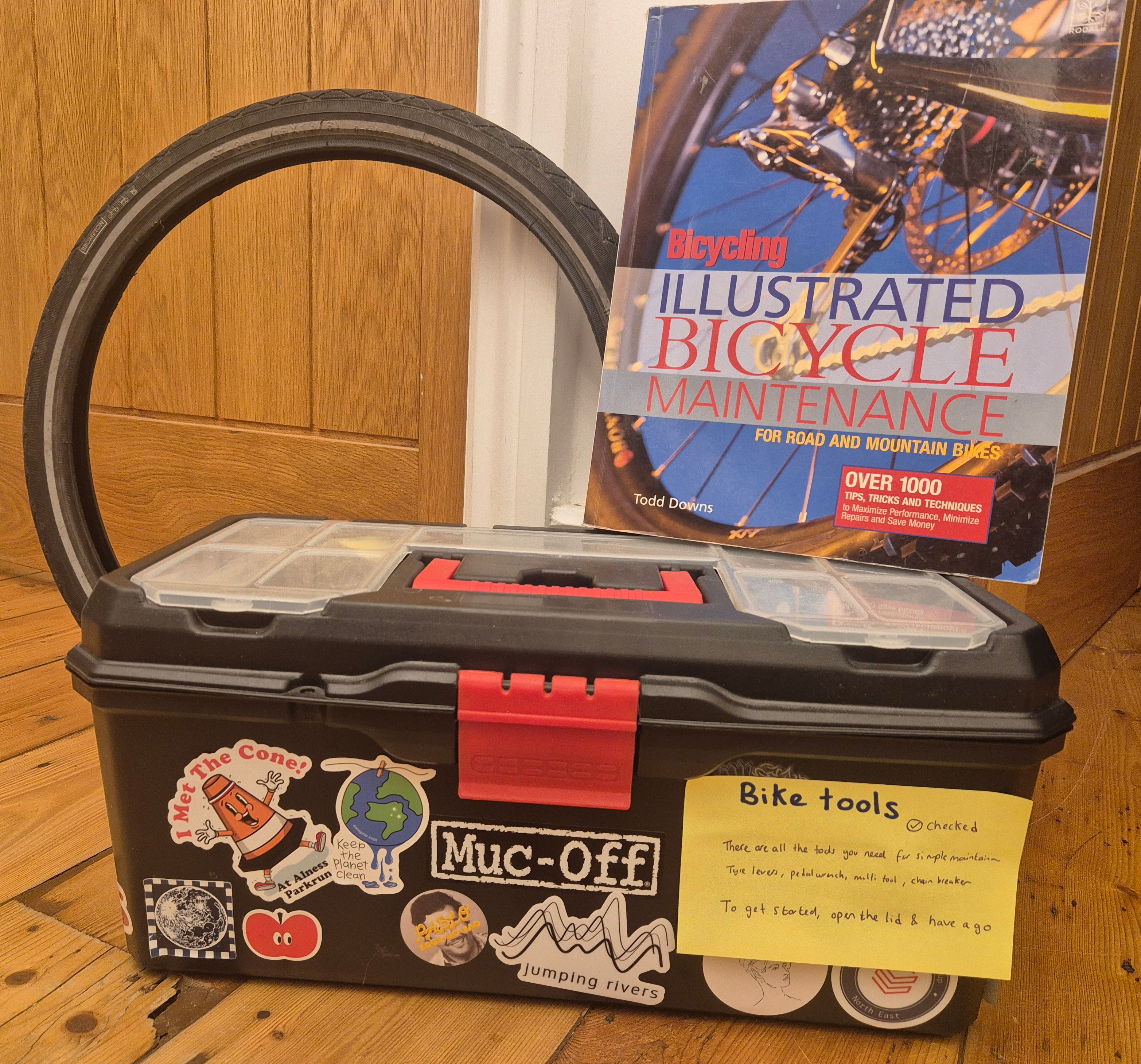
The closed toolbox has a label on the side stating the toolbox has been checked and providing a longer description of what to use the toolbox for. Behind the toolbox is a spare tyre and an illustrated book of bicycle maintenance.

Letโ€™s build ๐Ÿ› ๏ธ

๐Ÿ‘€ Demo: Create an R package

  • Check weโ€™re not in a project
  • Initialise the package
  • Look at the DESCRIPTION file
  • Whatโ€™s a license?
  • Install the package

๐Ÿ‘ฉโ€๐Ÿ’ป Exercise 1

  • Run usethis::create_package("sums")1
  • Edit the DESCRIPTION file
  • Run usethis::use_mit_license()
  • Run devtools::install()

๐Ÿ› ๏ธ Adding functions

Whatโ€™s a function?

  • Has a name
  • Takes some inputs
  • Does something
  • Returns something
 add <- function(x, y) {
  x + y
}

๐Ÿ‘€ Demo: Add a function

  • add the add() function to the package in R/1
  • re-install the package
  • does it work?

install vs load_all()

install()

  • installs your package to your R library
  • to install โ€œreadyโ€ packages

load_all()

  • loads all functions and data into your environment
  • good for fast developing

๐Ÿ‘€ Demo: Load all

  • Check environment is empty
  • Run devtools::load_all()
  • Does add.R work now?

๐Ÿ‘ฉโ€๐Ÿ’ป Exercise 2

  • Copy the add() function in R/add.R

    add <- function(x, y) {
      x + y
    }
  • Run devtools::load_all()

  • Try out your function add(3, 4)

Adding documentation ๐Ÿ“„

Lending out your tools

  • We need to export our function
  • Explicitly saying โ€œyou can use thisโ€

Hexsticker for roxygen2. it has the RStudio logo with a 2 in it.

๐Ÿ‘€ Demo: Export your function

  • Add #' @export tag
  • Re-install and check it works
  • Inspect the NAMESPACE

Help files

  • What happens when you run ?dplyr::slice_head?

Common roxygen tags

  • @export: exports the function
  • @param: what does an argument do? what are the defaults?
  • @returns: what type of object does the function return?
  • @examples: show the function in action#

๐Ÿ‘€ Demo: Document your function

  • Add roxygen tags
  • Run devtools::document()
  • View help files

๐Ÿ‘ฉโ€๐Ÿ’ป Exercise 3

  1. Add some {roxygen2} strings

    #' Add together two numbers
    #' 
    #' @param x A number.
    #' @param y A number.
    #' @returns A numeric vector.
    #' @examples
    #' add(1, 1)
    #' add(10, 1)
    #' @export
    add <- function(x, y) {
      x + y
    }
  2. Run devtools::document(); devtools::load_all()

  3. View the help file ?add

Checking your package โœ…

Inspect your toolbox

  • Do all the tools work?
  • Does they have instruction manuals?
  • Is there anything in there that shouldnโ€™t be in there?
  • Is it too heavy?

1 error โœ– | 1 warning โœ– | 2 notes โœ–

๐Ÿ‘€ Demo: Package check

  • Run devtools::check()
  • Inspect the output

๐Ÿ‘ฉโ€๐Ÿ’ป Exercise 4

  1. Run devtools::check()

Donโ€™t worry if it doesnโ€™t all pass!

๐Ÿ‘€ Demo: Borrowing other functions

  • Add cli_alert_success("You added two numbers") to add()

  • Run check

  • Prefix with cli::

  • Run check

  • Use usethis::use_package("cli") to update Imports:

  • Run check

๐Ÿ‘ฉโ€๐Ÿ’ป Exercise 5

  1. Add cli::cli_alert_success("You added two numbers") to add()

  2. Run check

  3. Use usethis::use_package("cli") to update Imports:

  4. Run check

You did it! ๐Ÿฅณ

Share your package ๐Ÿ”

  • Local install: devtools::install_local("biketools.zip")

  • GitHub: devtools::install_github("statsrhian/biketools")

  • CRAN: install.packages("biketools")

Bonus stuff ๐ŸŽ

Use {usethis}

  • use_readme_md()

  • use_data()

  • use_testthat()

  • use_vignettes()

  • use_pkgdown()

  • use_news_md()

  • use_github_actions()

Go forth and build! ๐Ÿ‘ทโ€โ™€๏ธ

  • Remember to make a hex sticker

  • Let me know how you get on ๐Ÿ“ง @statsRhian

Example hex sticker showing the rainbowR background hex